

Password Manager Security: Are Your Logins Really Safe?

Ever stopped mid-login and wondered, “What if the very tool keeping all my passwords safe gets hacked?” That flicker of doubt is more common than you think.
Password manager security refers to the encryption methods, zero-knowledge policies, and safety practices that protect your stored logins from hackers, leaks, or unauthorized access.
Skepticism is natural, but the stakes are high. With data breaches making headlines almost weekly, knowing the strengths and weaknesses of these tools isn’t trivia, it’s digital survival. Once you weigh the risks against the benefits, those fears start to look less convincing.
What You Will Learn in This Article
Why Password Manager Security Might Be Safer Than You Think
When people hear about storing every password in a single digital vault, the first reaction is often suspicion: “Isn’t that risky?” In reality, a secure password manager is usually much safer than juggling weak or reused logins across dozens of accounts.

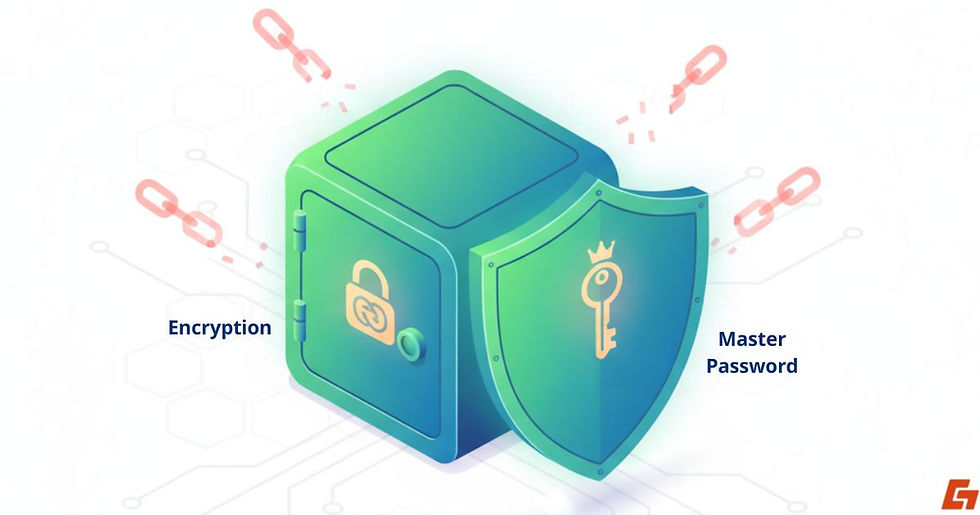
At its core, password manager security rests on two pillars, strong encryption and the master password that unlocks your vault.
How Strong Encryption Locks Down Your Digital Vault
Most leading password managers use AES-256 encryption, the same standard trusted by banks and government agencies.
Paired with a “zero-knowledge” design, meaning the provider itself can’t view your data, it creates a system where only you hold the key. Even if attackers steal encrypted files, without your master key they’re left with useless code.
The Power and Risk of a Single Master Password
The real advantage is simplicity: one strong master password secures all your logins. But that also means this password can’t be weak or recycled. A short or predictable master key undermines the entire system.
That’s why providers stress making it long, unique, and memorable, because password manager security is only as strong as the door you build at the entrance.
Password Manager Security Concerns: What People Worry About Most
Skepticism isn’t misplaced, handing your digital life to one tool deserves caution. Still, many common fears about password manager security are exaggerated or based on misunderstandings.

Can Hackers Really Break Into a Password Manager?
High-profile cases, like the LastPass breach, made headlines and rattled trust. Yet even in that scenario, attackers only accessed encrypted vaults. Because of zero-knowledge encryption, they couldn’t read the contents without the user’s master password.
The takeaway? Company systems may be vulnerable, but user data remains locked down. In practice, password manager safety depends on both the provider’s defenses and your own habits.
Forgetting Your Master Password: A Blessing and a Curse
Unlike your Netflix login, there’s no “Forgot Password?” link in most managers. With zero-knowledge systems, not even the company can reset it for you.
That’s the trade-off: unbeatable privacy, but also full responsibility. If you lose your master password, your vault is sealed. Writing it down in a secure place or using a memory technique is often the only backup plan.
Do Malware and Phishing Still Threaten Password Manager Security?
Another overlooked password manager security concern comes from user-side threats. Malware infections or phishing attacks can still trick you, no matter how strong the encryption.
That said, most managers won’t autofill credentials if the website address doesn’t match, which blocks many phishing attempts. It’s not bulletproof, but it’s far safer than typing passwords into random sites.
Why the Benefits of Password Manager Security Win Out
Despite the concerns, the benefits of password manager security are difficult to ignore. For most people, the advantages far exceed the potential downsides.
Stopping Hackers from Exploiting Reused Passwords
Credential stuffing, where hackers test a stolen password across multiple accounts, remains one of the easiest attack methods.
A secure password manager eliminates that risk by generating unique, complex passwords for every site, closing the door on this common tactic.
How Password Managers Make Phishing Less Effective
Phishing relies on human error, convincing you to enter a password on a fake site. Managers undercut this trick by autofilling only on the exact domains you’ve saved.
That built-in check makes phishing attempts much less effective, turning a major threat into more of a nuisance.
Secure Syncing: Why a Digital Vault Beats Sticky Notes
Sticky notes, notebooks, or plain text files on a desktop? Those methods might feel convenient, but they’re wide open to theft or loss. An encrypted vault that syncs across phone, tablet, and computer is a major upgrade.
Cloud syncing isn’t flawless, but in practice, the password manager security benefits far outweigh the old methods hackers count on.
How to Get the Most Out of Your Password Manager Security
Even the strongest lock is useless if you leave the key under the doormat. The same idea applies here: the software itself is solid, but your habits decide whether your vault stays secure.

Strengthening password manager security doesn’t take much, it’s more about being intentional with a few smart practices.
Picking a Provider You Can Actually Trust
Not all managers are built the same. The best providers publish transparency reports, undergo independent audits, and run bug bounty programs that reward ethical hackers for finding flaws.
Others stay quiet about vulnerabilities. To truly secure your password manager, pick one with a proven record of protecting users and being open about issues.
Services like Bitwarden, 1Password, and Dashlane often earn that trust, but it’s still wise to research before committing.
Why MFA Is the Easiest Upgrade for Your Vault’s Security
Think of MFA as adding a deadbolt to a sturdy door. Even if someone steals your master password, they can’t unlock your vault without that second factor, whether it’s a text code, a fingerprint scan, or a hardware key.
Turning on MFA is one of the easiest and most effective ways to strengthen password manager security without adding much friction.
Crafting a Master Password That Really Protects You
This might sound obvious, but it’s where many people slip. A master password should never be tied to your dog’s name, your birthday, or anything else predictable. Instead, make it long, unique, and something you’ve never used elsewhere.
Think of it as the single key to your digital home, because that’s exactly what it is. Get this right, and you build the strongest foundation for a secure password manager.
Password Manager Security vs Alternatives: Do They Stack Up?
Some people remain hesitant and try to manage logins in other ways. But when compared to password manager security, those options reveal clear weaknesses.

Why Browser Autofill Can’t Compete with Password Manager Security
Yes, it’s convenient, but browsers weren’t designed for vault-grade protection. Malware often targets saved logins in Chrome or Edge, making browser autofill a quick but fragile solution.
Think of it as the fast food of security: handy in the moment, but not healthy in the long run.
Why Paper Notes Fail as a Password Security Method
A notebook might seem harmless until it’s stolen, misplaced, or tossed out. Unlike an encrypted vault, paper offers zero defense against prying eyes.
The Myth of Memorizing Every Password
In theory, remembering all your logins sounds great. In reality, it leads to either password reuse or constant resets, both of which weaken security.
Why Password Managers Come Out on Top
When comparing password manager security vs browser autofill or even pen-and-paper, the verdict is clear.
Managers strike the best balance between convenience and protection. They’re not flawless, but they’re far ahead of the usual alternatives.
The Real Truth About Password Manager Security
While no system is perfect, password managers combine encryption, usability, and safeguards in a way that far outweighs the doubts. They’ve become one of the most reliable defenses against weak logins, phishing attempts, and data breaches.
The shift is understanding that password manager security isn’t about removing every risk, it’s about stacking the odds in your favor. Once you see how they work, the gamble disappears, and what you’re left with is a smarter way to protect your digital life.
So, where do you stand? Will you keep juggling sticky notes and recycled logins, or is it time to put your trust in a secure vault built for the modern internet?


Comments