

Cloud Storage vs Local Storage: What’s Better for Your Data?
- Oct 8, 2025
- 7 min read

Storing files feels simple, until you realize one option keeps them locked in your desk, while the other floats them in the digital sky. That’s where the real debate starts.
Cloud storage and Local storage are two common ways to save data. Local storage keeps files on physical devices you own, while cloud storage saves them online on remote servers. Each comes with trade-offs in cost, access, and security.
This choice matters because it affects how easily you can work, share, and safeguard your data. For students, businesses, or anyone with memories they can’t afford to lose, the decision isn’t just practical, it’s personal.
What You Will Learn in This Article
What Is Local Storage and Why Do People Still Rely on It?
Local storage means your files live on hardware you personally own or control, whether that’s the HDD or SSD in your computer, a USB drive you carry around, or a server humming away in your office.

It’s tangible, close by, and a little old-school in a comforting way. Best of all, if the internet goes down, your files are still right there.
Everyday Examples of Local Storage Devices
The usual choices include internal and external hard drives, SSDs, USB flash drives, NAS devices, and on-premise company servers.
Why Local Storage Still Wins Fans
Local storage gives you full control, works without an internet connection, and doesn’t come with recurring subscription fees.
For anyone managing big media projects or storing archives, that predictability can feel like peace of mind.
The Hidden Drawbacks of Local Storage
Capacity eventually runs out unless you keep buying drives, and hardware failures can strike without warning. Disasters, whether theft, fire, or a spilled cup of coffee, can wipe out data in an instant.
That’s why many people combine local storage with backups. Think of it like keeping a car in your own garage: it’s close, it’s yours, but you’re also the one who has to maintain it and keep it locked.
What Is Cloud Storage and How Does It Actually Work?
Cloud storage keeps your files on remote servers that you access over the internet. Sign in, upload, and your data shows up across your laptop, phone, or even that tablet you rarely touch.

Providers like Google Drive, Dropbox, iCloud, and OneDrive take care of the behind-the-scenes work, redundancy, uptime, and backups, so you don’t have to.
Why Cloud Storage Has Become the Go-To Option
The appeal is clear: seamless access from anywhere, easy collaboration through shared folders and real-time editing, and automatic syncing that saves you from manual updates.
If you’ve ever emailed yourself a file just to move it, cloud storage feels like the polished, stress-free upgrade.
The Trade-Offs You Can’t Ignore with Cloud Storage
You’ll need a steady internet connection, and most providers charge ongoing fees once you pass the free tier. Security depends partly on them (encryption, monitoring) and partly on you (strong passwords, two-factor authentication).
When weighing cloud storage and local storage, it’s like choosing between public transit and driving yourself: you don’t steer, but you still get where you’re going, without the parking hassle.
Cloud Storage and Local Storage Compared: Key Differences You Should Know
Both approaches work, it just depends on what you care about most. Use this quick view to compare the trade-offs before looking deeper at pros and cons.
Side-by-Side Comparison: Cloud Storage vs Local Storage
Factor | Cloud Storage | Local Storage |
Location of data | Remote servers managed by a provider | Devices you own (drives, NAS, on-prem servers) |
Accessibility | Anywhere with internet; smooth sharing and collaboration | On-site or via your own network/VPN; limited when you’re away |
Cost | Ongoing subscription; pay for space and features | One-time hardware cost; upgrades add new spend |
Capacity growth | Add more space by upgrading your plan | Add/replace drives; physical limits and setup time |
Security & privacy | Provider encryption + account security; depends on your settings and habits | Physical control; fewer online threats, but at risk from loss/theft/damage |
Maintenance | Provider handles uptime, patches, redundancy | You handle backups, health checks, and hardware replacement |
Why Most People End Up Using Both
If you want maximum convenience and collaboration, cloud feels natural. If you prefer offline access and full control, local makes sense. Many people use both, because real life is messy, and so is storage.
Pros and Cons of Local Storage: Control Comes at a Cost
When comparing cloud storage and local storage, the appeal of keeping data under your roof is easy to see. Local storage puts you in charge, but that control always comes with responsibility.

The Key Advantages of Local Storage
You decide who can access your files, no outside provider involved.
Everything works offline, whether your internet is up or not.
No recurring fees. Once you buy the drive, it’s yours until it wears out.
The Risks and Limitations of Local Storage
Hardware eventually fails. Drives crash, parts wear down, and repairs or recovery aren’t cheap.
Physical capacity is limited unless you continue investing in new hardware.
Accessibility is tricky. If you’re traveling or working remotely, that external hard drive at home doesn’t help you.
Local Storage Is Like Owning a Car, Here’s Why
Local storage is a lot like owning a car. You’re free to use it anytime, but you also cover the upkeep, repairs, fuel, and insurance. It delivers independence with a side of responsibility.
Pros and Cons of Cloud Storage: Convenience vs Control
On the other hand, cloud storage trades physical ownership for flexibility. Here’s what that means when you weigh cloud storage and local storage side by side.

The Biggest Benefits of Cloud Storage
Access your files from anywhere with an internet connection, at work, at home, or even in an airport lounge.
Scales easily: upgrade your plan and you’ve instantly got more space.
Built-in collaboration tools let teams edit and share in real time.
Automatic backups reduce the risk of data loss.
The Downsides of Cloud Storage You Shouldn’t Overlook
No internet means no files, downtime cuts off access.
Subscription costs add up. Affordable at first, but expensive if you need terabytes.
Security concerns remain, breaches, weak passwords, and dependence on a third party.
Cloud Storage Is Like Renting an Apartment, Here’s What That Means
Think of cloud storage as renting a furnished apartment. Someone else handles maintenance, and you just move in with your essentials. It’s convenient, but you’re never fully in control.
Cloud Storage and Local Storage: Which One Costs More Over Time?
When choosing between cloud storage and local storage, money is often the deciding factor. Both look affordable at first, but the numbers shift over time.

The Real Cost of Local Storage
You pay once, maybe $100 for a 2TB drive, or much more for enterprise servers. That one-time spend feels predictable, but hardware doesn’t last forever.
Replacements, expansions, and backup devices create hidden expenses.
The Ongoing Cost of Cloud Storage
Cloud plans often start free with 5–15 GB, then range from $2–$10 a month for personal use, or far more for businesses.
Over years, subscription fees add up. A decade of payments can easily exceed the cost of several physical drives.
Renting vs Owning: The Storage Cost Mindset
For light users, cloud’s small recurring fee is simple and convenient. For video editors or businesses holding terabytes, the long-term math often favors local storage, or a hybrid mix of both.
It’s the classic renting versus owning dilemma: short-term renters like cloud’s flexibility, while long-term homeowners lean on local gear.
Cloud Storage and Local Storage Security: Which Keeps Data Safer?
When weighing cloud storage and local storage, security is often the deciding factor. Both protect data in different ways and both come with their own weak spots.

How Secure Is Local Storage Really?
Files kept offline aren’t exposed to online attacks, which is a clear advantage. But physical risks, like theft, damage, or even natural disasters, are harder to prevent.
Without backups, one hardware failure can mean complete data loss.
How Cloud Storage Protects (and Exposes) Your Data
Most cloud providers encrypt data while it’s moving across the internet and while it’s stored on their servers. Features like multi-factor authentication and constant monitoring add another layer of safety.
Still, your data depends on their systems. If the provider suffers a breach, or if your login is weak, the protection can break down.
Why Many People Choose a Hybrid Storage Setup
To cover both angles, some people adopt a hybrid approach: critical files stay on local devices, while working files live in the cloud.
Think of it as splitting money between a home safe and a bank account. Neither is perfect, but together they reduce overall risk.
Cloud Storage or Local Storage: Which One Fits Your Needs Best?
There’s no universal winner here. The choice between cloud storage and local storage depends on how you use your data and what you need most.
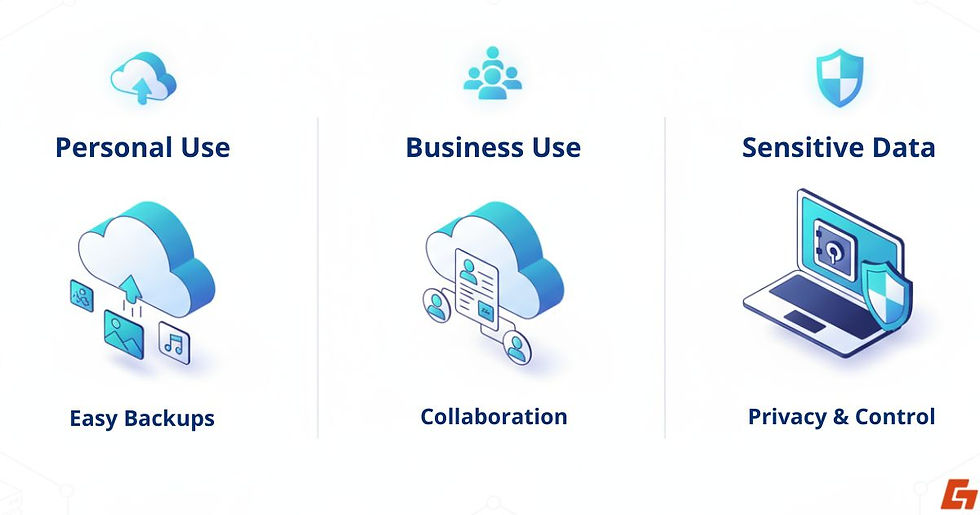
The Smarter Choice for Personal Use
If you’re storing photos, school projects, or music, cloud storage is often the easiest option. Automatic backups protect your memories without extra effort.
The Smarter Choice for Business Use
Many companies lean toward the cloud because of collaboration features. Remote teams can edit and share files in real time.
That said, sensitive industries like finance, healthcare, or legal often rely on local or hybrid systems to meet compliance standards.
The Smarter Choice for Sensitive Data
If privacy is your top priority, local storage gives you the most control, especially if you add encryption.
For those who prefer the convenience of the cloud, end-to-end encrypted services can provide a safer middle ground.
Why the Best Choice Is Always Personal
Instead of asking which option is “better,” ask which one works best for your situation today and whether it will still meet your needs tomorrow.
Cloud Storage and Local Storage in Perspective
We’ve explored how local devices offer control and independence, while cloud services bring flexibility and collaboration. Both carry strengths and risks, and the balance depends on what matters most to you.
The point isn’t that one is universally better, it’s that cloud storage vs local storage is really about matching the right tool to your lifestyle, habits, or business needs.
So ask yourself: where does your data feel safest and most useful today and will that answer still hold true tomorrow?


Comments